
Blockmaze Validator Program
The Blockmaze Validator Platform is designed for users who want to run, manage, and operate validator nodes on the Blockmaze network. Validators earn staking rewards in return for correct participation in transaction validation, block production, and protocol security.
The platform provides a unified interface to register as a validator, stake BMZ, monitor performance, manage validator status, and handle actions such as bonding, unbonding, and re-validating, all from a single dashboard.
Who Should Use the Blockmaze Validator Platform
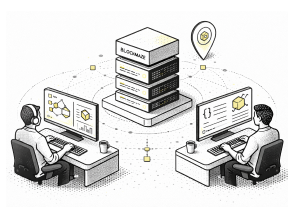
Node operators running Blockmaze validator nodes

Participants seeking to validate blocks and earn staking rewards

Validators managing stake, commission, uptime, and network participation
How to Participate in the Blockmaze Blockchain Consensus Mechanism
Becoming a validator on the Blockmaze network requires meeting defined technical and staking requirements and completing validator registration through the dashboard.
Step 1
Issuers and Participants Hold BMZ
Issuers, institutions, and ecosystem participants hold BMZ tokens to access governance and platform participation.
Minimum system requirements
- Operating System: Ubuntu 22.04
- Memory: Minimum 4 GB RAM
- Storage: At least 20 GB available disk space
- Network: Stable, continuous internet connection
Required tools include Go (matching the network version), bash utilities, and standard build dependencies.
Step 2
Access the Validator Platform
Validators log in through the Blockmaze Validator interface by connecting their running node and wallet.
- Enter the node’s RPC URL
- Authenticate using blockmaze compatible wallets – Kepler, metamask, etc.
- Access the validator dashboard upon successful connection
This authorizes access to validator actions such as staking, bonding, and status management.
Step 3
Register Validator Details
Validators create a public validator profile visible to the network. This includes:
- Validator name and description
- Optional website or reference link
- Identity and security contact details
- Commission parameters
These details help delegators evaluate validator reliability and intent.
Step 4
Stake BMZ and Activate Validation
Validators must bond a minimum amount of BMZ tokens to activate validation.
- Bonded tokens remain locked while validating
- Commission rates define validator reward share
- Validators become active once minimum stake requirements are met
If stake is insufficient, the validator remains in an awaiting state until requirements are fulfilled.
Step 5
Begin Block Validation
Once active, validators participate in transaction validation and block production. Validators are expected to maintain uptime and follow network rules to remain active.
Ecosystem
How Validation Works on Blockmaze

Transaction Verification
Validators verify incoming transactions and ensure they comply with protocol rules before inclusion in a block.

Performance and Uptime Monitoring
Validator uptime and behavior are continuously monitored. Prolonged downtime or incorrect behavior may lead to penalties or removal from the active set.

Block Proposal and Validation
Active validators participate in block proposal and validation, contributing to network finality and ledger consistency.

Reward Distribution and Accountability
Validators earn staking rewards for correct participation. Protocol violations may result in slashing or reduced rewards.

Consensus Participation
Validators coordinate with other active validators to agree on the canonical chain and maintain network integrity.

Lifecycle Management
Validators may adjust stake, receive delegations, unbond tokens, or exit validation according to network rules and lock-in periods.
Validators may adjust stake, receive delegations, unbond tokens, or exit validation according to network rules and lock-in periods.
What Validators Can Manage From the Dashboard?
- Validator registration and profile management
- BMZ staking, bonding, and unbonding
- Active, inactive, and deactivating validator tracking
- Block explorer and real-time network metrics
- Wallet management and transaction history